 Follow Us on Google News
 Follow Us on Google Discover
The number one reason why people get frustrated with their Android phones is because over time, the phones stop working optimally. It could be anything from frequent overheating to random reboots to app crashes, but the net result is that users are frustrated. If you are frustrated with your Android phone and want to throw it out of the window, WAIT!! Read this guide and download the best Android repair software in the market today to quickly repair your Android phone and bring it up to speed, literally!
Part 1: What is Android Repair Software and How to Choose One?
Part 2: Top 3 Android Repair Software Compared
Part 3: Fix All Android Issues with Wondershare Dr.Fone – System Repair (Android)
Final Words
Part 1: What is Android Repair Software and How to Choose One?
The app or software that you use to repair your Android phone, in other words, fix any issue with your Android phone, is called an Android repair software. There are several tools in the market claiming to do all sorts of things, and you can easily get confused. Here is what to look for in a good Android repair tool:
– The tool should work with most Android phone manufacturers.
– The tool should support the latest as well as legacy Android versions.
– The tool should work not just on Windows but macOS, too.
– The tool should support a wide range of fixes, not just one or two or few.
The problem with most Android repair software today is that the developer team simply does not have the bandwidth to undertake such a huge undertaking as Android repairing can be. They can implement a few fixes, a few features, support a few devices, work on Windows, maybe. But that makes them niche products that would work under certain conditions.
What you need is an Android repair software that works under practically all conditions, supporting practically all configurations. With that in mind, we have selected the top 3 tools that you might like and compared them for you.
Part 2: Top 3 Android Repair Software Compared
Google Play Store is replete with apps that you can download to fix all your Android issues. The only real issue with them is that most of them are, how shall we put it lightly, hogwash! Most are simply designed to get you to download them, and maybe even pay for them. Whether or not they resolve the issues you were facing with your phone is another matter. With this in mind, we bring you the top 3 Android repair apps you can use with confidence.
2.1: Wondershare Dr.Fone – System Repair (Android)
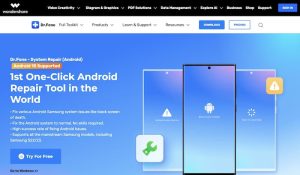
By far, your best option in Android repair software happens to be Wondershare Dr.Fone – System Repair (Android). It is regularly updated, and supports thousands of Android models from various manufacturers, making it the most complete Android repair offering. What’s more, it also works both on Windows and macOS computers, so you are not stuck if you have a Mac and an Android device!
Pros
– Works on almost all Android models from several manufacturers.
– Works on Windows and macOS computers.
– Fixes practically all Android smartphone problems.
– Easy to use interface.
– Easy to understand with step-by-step guidance throughout the repair process.
Cons
– If you want a con, it does not work on Linux!
– Full functionality enabled only after payment.
2.2: Tenorshare ReiBoot for Android
Tenorshare is another name in the industry that has been around for a while and produces some excellent software for everyone. ReiBoot for Android is an excellent Android repair tool that fixes several commonly occurring Android issues in a jiffy.
Pros
– Fixes over 50 Android issues.
– Enter various Android modes such as Fastboot, Download mode, Recovery mode in one click.
– Over 2000 devices from 15 manufacturers supported.
Cons
– Does not work on macOS computers. ReiBoot is a Windows-only software.
– Does not support Android versions lower than Android 4.
2.3: Ultphone Android System Repair
Ultphone Android System Repair is another longstanding system repair software provider in the industry, with millions of satisfied customers and largely positive experiences. It is a no nonsense, dedicated Android repair software that fixes several Android issues in just a few clicks.
Pros
– Fixes over 150 problems faced by Android users.
– Supports over 1000 devices from several manufacturers.
– Supports Android 2.0 through Android 15.
– Trial version available, albeit without repair support.
– Reasonably priced.
Cons
– Software works only on Windows operating system. No macOS support.
– Complete feature set unlocked only after payment. No trial offered.
As you can see, there is a reason why Wondershare Dr.Fone – System Repair gets such rave reviews both by magazines and journals as well as from millions of users who have downloaded the app and repaired their Android phones easily. Dr.Fone – System Repair (Android) is the most feature-rich, complete Android system repair package in the market today.
Part 3: Fix All Android Issues with Wondershare Dr.Fone – System Repair (Android)
Dr.Fone – System Repair (Android) claims to be the complete Android repair solution, the only Android repair software you will need. It helps you fix any possible issue you might be facing with your Android phone, easily and quickly, in easy-to-follow steps.
3.1: Key Features
Key features include:
– The ability to install device firmware updates for your device in one click.
– Support for the latest as well as legacy Android versions.
– Step-by-step repair instructions to help repair with confidence.
– Dr.Fone works on Windows and macOS alike.
– Dr.Fone is regularly updated for optimum performance and stability.
– Easy to use UI with most functions requiring just three steps.
3.2: Steps To Repair Android Devices with Wondershare Dr.Fone – System Repair (Android)
Follow these steps to repair your Android phone easily.
Step 1: Launch Dr.Fone – System Repair (Android).
Download Dr.Fone onto your computer and click the System Repair banner. Else, navigate to Toolbox > System Repair to open the System Repair module.
You will notice both iOS and Android as options. This is because Dr.Fone is the ultimate smartphone companion for all smartphones, be it Android or iOS. The same app works with both Android and iOS devices, for user convenience. Select Android to continue.
Step 2: Start Android phone repair.
Selecting Android above brings you to the following screen:
Click Start to continue. The software will detect your device details. Confirm the device details carefully. Make changes with the dropdown menu and when done, click Next:
Continue following the onscreen instructions to put your device in Download Mode and proceed to the next step.
Step 3: Complete the Android phone repair.
Once Dr.Fone downloads the requisite firmware for your device, it is ready to repair your Android phone:
Click Fix Now and follow the instructions to start the Android repair. Once the repair is complete, Dr.Fone will notify you:
Click Done to complete the process. Your Android device is now repaired!
Final Words
If your Android phone is giving trouble, one of the first things people do is look up the internet for an Android system repair tool. And then, all hell breaks loose. Users discover that there are more software and apps than they can count. Google Play Store is filled with them, and then there are developers selling software on their websites. What to do? Who to trust? Our recommendation? Trust the Android repair software that millions of other users around the world put their faith in: Wondershare Dr.Fone – System Repair (Android). If your Android phone is acting up, download Dr.Fone and use Dr.Fone – System Repair (Android) to fix all your Android issues right away!