 Follow Us on Google News


 Follow Us on Google Discover
Deliberate practice is the single most reliable predictor of trading performance, yet most beginners skip it entirely and move straight to funding live accounts. The results are predictable: poor execution, emotional decision-making, and capital losses that could have been avoided. A structured simulation environment eliminates those early costs.
Before moving into live markets, traders can sharpen their execution inside the trading simulator by WR Trading and learn in a professional-grade environment. The tool is browser-based, runs on live market data, and requires no account registration to access. It mirrors the conditions of an actual session at every level, from spread behavior to order execution mechanics.
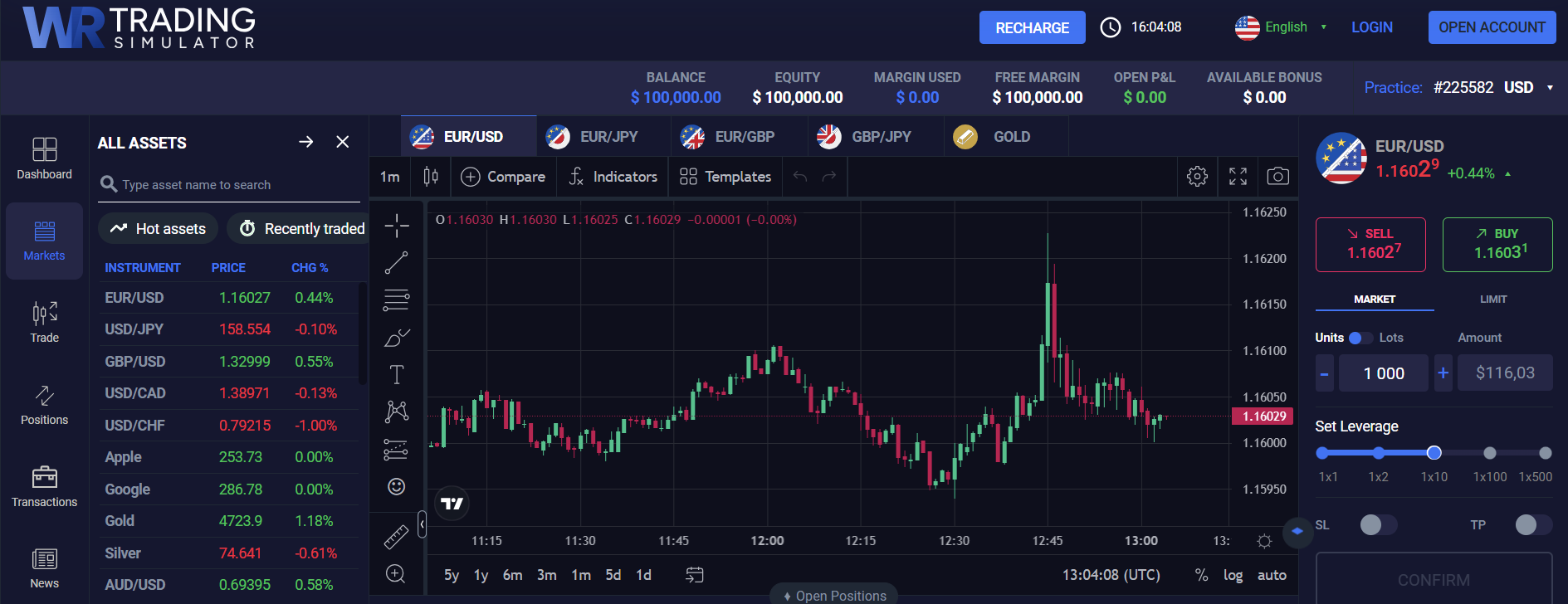
The simulator is available at no cost and with no time restrictions. Traders can load it instantly in any modern browser on desktop or mobile, select a market, configure their trade size and leverage, and begin executing simulated trades within minutes of arrival.
Getting Started: The First Steps Inside the Simulator
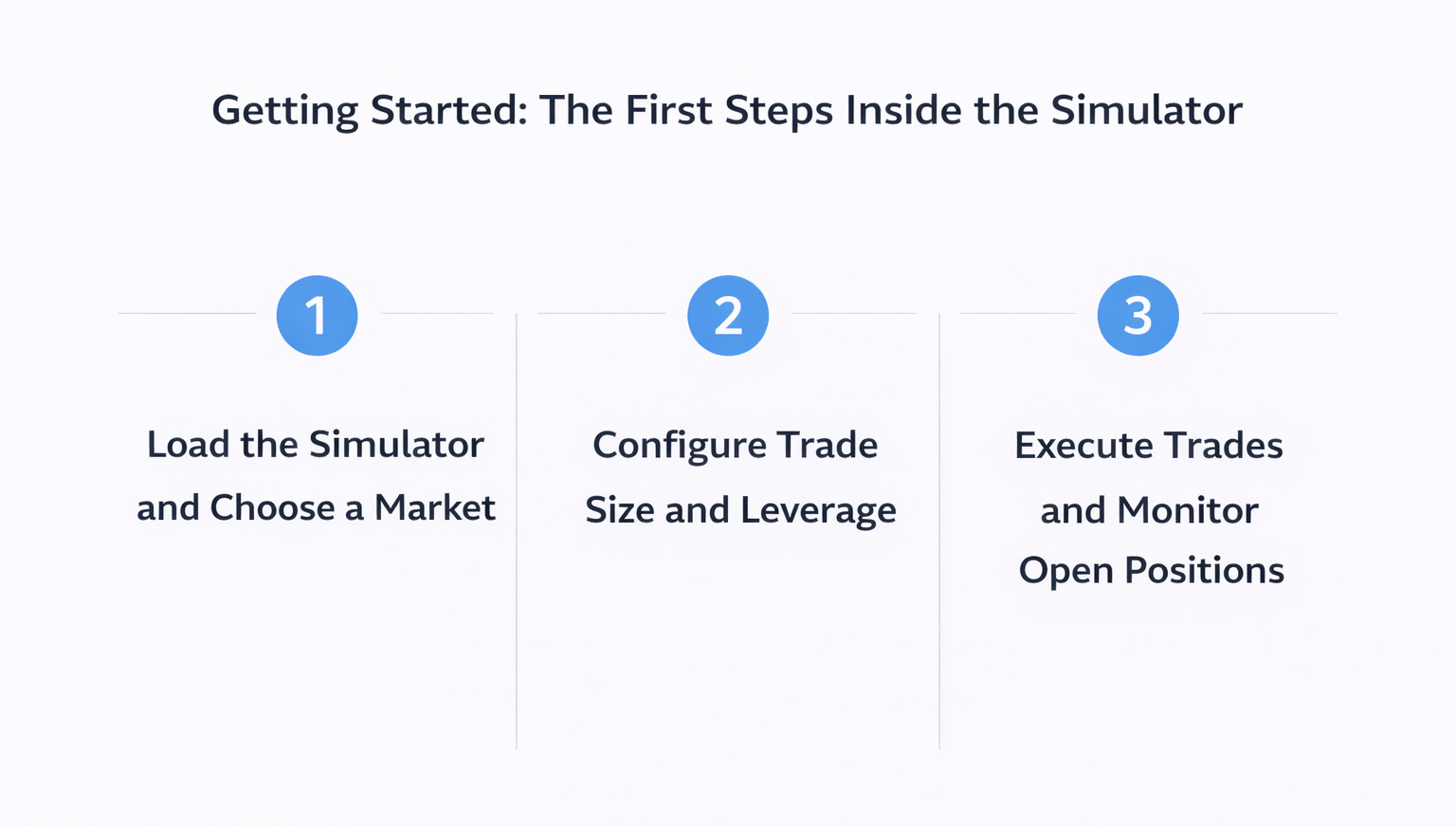
Step 1: Load the Simulator and Choose a Market
Visiting wrtrading.com/simulator opens the trading terminal directly in the browser. From there, the first action is selecting a market. The tool supports forex pairs, stocks, indices, commodities, and crypto assets, all running on real-time price feeds. Traders should choose the market they intend to trade live so that practice conditions remain directly transferable.
Traders focused on equity markets can use the simulator to practice trading indices such as the S&P 500 and DAX, both of which are available as CFD instruments within the platform. These markets are particularly well suited to the WR Trading approach, given that the S&P 500 is the primary focus of founder Andre Witzel’s own trading methodology.
Step 2: Configure Trade Size and Leverage
Once a market is selected, traders set their position size and leverage before placing any trade. The tool supports leverage up to 1:500, and the interface calculates margin and exposure automatically as parameters are adjusted. This real-time feedback is a practical way to develop an intuitive sense of how leverage affects risk before applying it to a funded account.

Step 3: Execute Trades and Monitor Open Positions
With the market and parameters set, trades are executed through the same order entry process used on professional platforms. Traders can place market orders, set stop-loss and take-profit levels, and monitor open positions in real time. All trade activity reflects actual market conditions, including spread variation during volatile sessions and realistic execution behavior.
Practicing Specific Strategies Inside the Simulator
The simulator supports every major intraday trading style without modification or special configuration. Traders can work on scalping setups, short-term momentum trades, or structured intraday strategies using the same tools they would use on a live account.
Applying the WR Trading Methodology
WR Trading’s flagship methodology is built around wick-based analysis on M1 (one-minute) charts targeting high risk-reward setups. The tool is the recommended environment for learning this strategy before attempting it with real capital. Students in the WR Trading Mentorship program are required to complete a demo phase of two to three months in the simulator before transitioning to live trading.
Testing Risk-Reward Scenarios
The simulator is also a practical tool for testing different stop-placement and take-profit configurations across multiple trades. Traders can observe how a 1:5 or 1:10 risk-reward ratio performs, which is a statistically meaningful baseline for evaluating whether a strategy has an edge.
Logging and Reviewing Trade Performance
After each session, traders should review their executed trades to identify patterns in decision-making. The simulator supports optional account creation for saving trade history across sessions. Maintaining a record of entries, exits, and outcomes is a core practice in the WR Trading curriculum and directly supports the systematic improvement that the mentorship program measures.
Advanced Practice: Expanding Across Asset Classes
One of the more underused features of the simulator is its support for multi-asset practice within a single session. Traders can move between forex, indices, stocks, and crypto without switching platforms. For traders exploring the biggest Bitcoin trading concepts, such as volatility management and session timing, the simulator provides a zero-risk environment to test those ideas against live BTC/USD price data.
Practicing Across Multiple Markets
Switching between asset classes in the simulator builds market awareness that carries directly into live trading. The markets available each serve a distinct purpose in a well-rounded practice routine:
- Forex (EUR/USD, GBP/JPY): Tight spreads from 0.2 pips and high liquidity make these pairs ideal for practicing execution speed and scalping mechanics.
- S&P 500 Index CFD: Consistent intraday structure around the US market open provides reliable setup opportunities for the Lunten strategy.
- Bitcoin(BTC/USD): High volatility and 24-hour availability allow traders to practice in active markets outside standard trading hours.
- Gold (XAU/USD): Safe-haven price behavior during news events offers practice in managing positions through volatile macro-driven moves.
Using the Simulator for Pre-Session Warm-Up
Experienced traders use the simulator as a pre-market warm-up tool rather than a learning environment exclusively. Running five to ten simulated trades before a live session improves execution accuracy and reduces the hesitation that often leads to missed entries during real trading hours. This approach is particularly effective for traders returning after a break or transitioning between markets.
It also helps traders reset their focus before real capital is exposed to live conditions. A short warm-up session can highlight whether timing, order placement, and reaction speed are aligned with the day’s market pace. As a result, traders enter the session with a clearer process, steadier discipline, and fewer avoidable execution mistakes.
Common Mistakes to Avoid
 Simulation produces limited long-term benefit when traders treat it casually. The table below outlines several common simulator mistakes that can weaken practice quality and reduce the value of demo results:
| Mistake | Why It Hurts the Practice |
| Using an unrealistic demo balance | It creates position sizing habits that do not match the trader’s real account conditions. |
| Ignoring spread costs | It distorts entry and exit quality and makes results look stronger than they would be in live trading. |
| Treating simulation casually | It reduces discipline and prevents the trader from building repeatable routines. |
| Skipping trade review | It removes the feedback needed to improve strategy execution and risk control. |
WR Trading’s Simulator and Its Place in a Trader’s Development
The WR Trading Simulator is a direct expression of the brand’s core approach: practical, data-driven education with no barriers to entry and no commercial pressure attached. WR Trading positions itself as a resource for serious traders, and the simulator reinforces that positioning at every level of its design.
Traders who integrate the simulator into a structured routine consistently report faster skill development than those who rely on theory alone. The specific habits the simulator is designed to reinforce include:
- Executing entries and exits at exact price levels without hesitation or manual second-guessing.
- Holding stop losses at predefined levels through volatility without manual adjustment.
- Calculating correct position sizes relative to a defined risk percentage before each trade.
- Logging every trade with entry rationale and post-trade review notes for pattern identification.
- Identifying market conditions that do not meet strategy criteria and choosing not to trade.
For traders at any experience level, the WR Trading Simulator provides a professional-grade starting point for building the process and discipline that live trading demands. Its zero-cost, zero-registration model removes every practical barrier between a trader and meaningful practice.