

 Get Guardian on Google
Video now drives more engagement than any other content format on social media. Short-form clips bring the highest ROI and platforms like TikTok reward you for posting consistently. This gives way more reach than static images ever could.
If you’re running a small business, you’ve definitely felt this pressure already. Your competitors are posting daily reels. Customers expect a new video every time they open your page.
Hiring a videographer or agency for that kind of output costs thousands of dollars a month, money most small teams don’t have.
AI video tools solve this problem directly. They turn a simple phone clip into polished, publish ready content in minutes without hiring anyone new.
In this article, we will explain why video matters for your business and how you can create these videos easily with AI tools on a budget.
Why Social Media Now Runs on Video?
Social media platforms now push video ahead of every other content type. Photos and text posts get far less reach than short clips on the same page.

Short-form video gets the highest ROI of any content format used in marketing today. The engagement rate for TikTok posts is nearly 5.7 percent and the engagement rate for daily Facebook posts is below 1 percent.
Instagram Reels also beat the regular video posts on the same platform. They are viewed and shared more by viewers.
Consumers also want to learn more about a product through a short video as compared to reading about it. Shopping habits have shifted the same way. Consumers now find and purchase products within apps such as TikTok and Instagram without having to leave the app.
This means video is not just a nice addition to your content plan anymore. It is the format your customers expect to see before they trust your brand.
Why Video Production Is Costly for Small Businesses
Making good video content was never cheap. Small businesses usually had two options and both cost real money. You could hire a freelancer or a small agency. Or you can also create your own content team and do everything yourself.
Freelance editors & social media managers charge $500 to $3,000 each month. The prices of full service agencies are $2,000 to $10,000 per month. The average price of professional editing is $50 to $150 per minute.
For a business already covering marketing, sales and daily operations, these numbers are hard to justify.
Even doing it yourself has problems. Shaky phone footage, old watermarks and hand written captions all eat up time you do not have.
How AI Made Video Production Affordable?
AI tools have basically taken over the technical grunt work that used to require hiring a professional editor. Things like color correction, upscaling, noise reduction, cleanup all of that now takes minutes instead of dragging on for hours.
This makes the biggest difference for small businesses. A video shot on someone’s phone in natural light can now hit a publish ready standard without bringing anyone else on board. What you actually need is the right tool, not a full studio setup.
Here are some of the AI capabilities that get the job done for small business:
- Video enhancement: AI tool can clean up shaky, low light as well low resolution phone videos and automatically sharp the important areas.
- Watermark removal: These tools also can strip out logos, text and also other unwanted elements from clips you’ve borrowed or reused so the final product feels like it’s actually yours.
- Auto captioning: Since most people watch videos with the sound off. AI tools add accurate, synced captions right away so viewers don’t scroll past your video.
- Video upscaling: Takes low resolution clips and turns them into something sharper and cleaner, no reshoot needed.
- UGC and AI avatar videos: Puts together shoppable, authentic feeling product content without having to book a creator or set up a new shoot.
Put together, these tools knock out the biggest bottlenecks, time, equipment and editing skill. What used to take a small production team can now get done by one person with just a laptop.
The AI Video Toolkit SMEs Actually Need
A small business doesn’t need every AI tool on the market. A few core tools solve most of the problems you face every week.
Fixing Raw Footage
Phone footage and repurposed ecommerce clips often look dark, blurry or low resolution. Reshooting every time is not realistic for a small team.
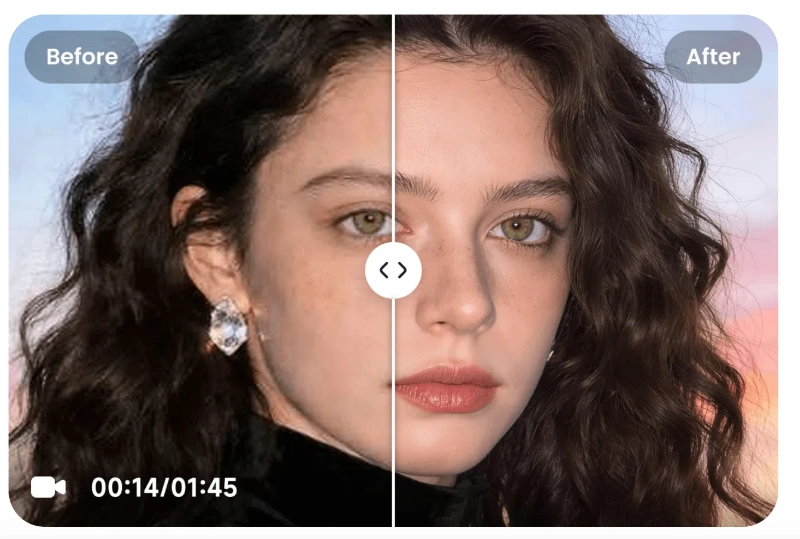
An ai video enhancer fixes this automatically. It sharpens detail and restores natural clarity to product footage and old clips so they look closer to a proper shoot.
A separate video upscaler also helps here. It turns low-resolution footage into sharper and cleaner output without you filming it again.
Cleaning Up Borrowed Clips
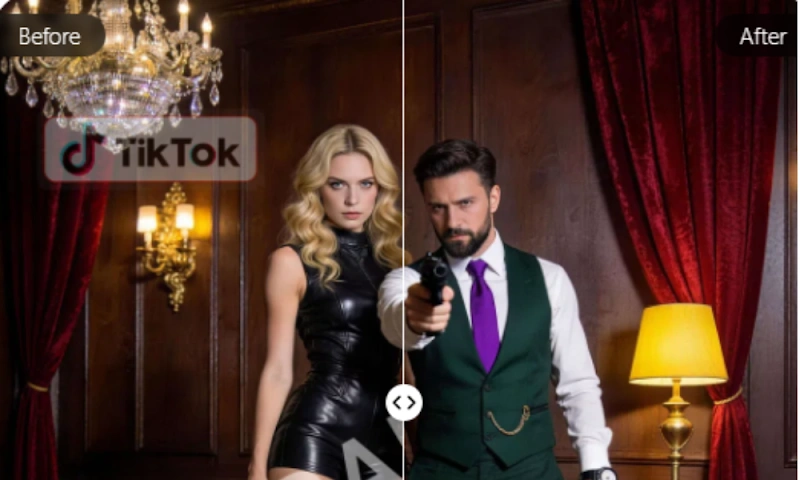
Reused footage often comes with old watermarks, logos or text stuck on the screen. This makes your page look unfinished and unbranded.
A video watermark remover clears these elements out. The clip looks fresh and fully yours once it is done. You can reuse old assets or repurpose stock clips without your final video looking borrowed or copied.
Adding Captions Automatically
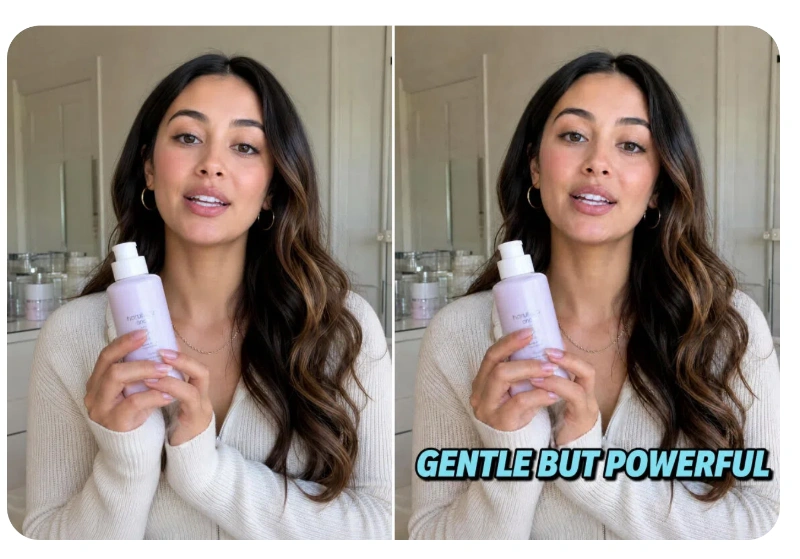
Most people scroll social media with the sound off. A video without captions loses viewers in the first few seconds. Caption tools add accurate, synced text on their own. You do not need to type or time anything by hand.
Creating Content Without a Camera Crew
Not every small business has product photos ready to film or a creator on hand. This used to mean fewer videos and slower posting.
A product showcase tool solves this gap. It turns plain product images into ready-to-use videos for ads, social and ecommerce pages.
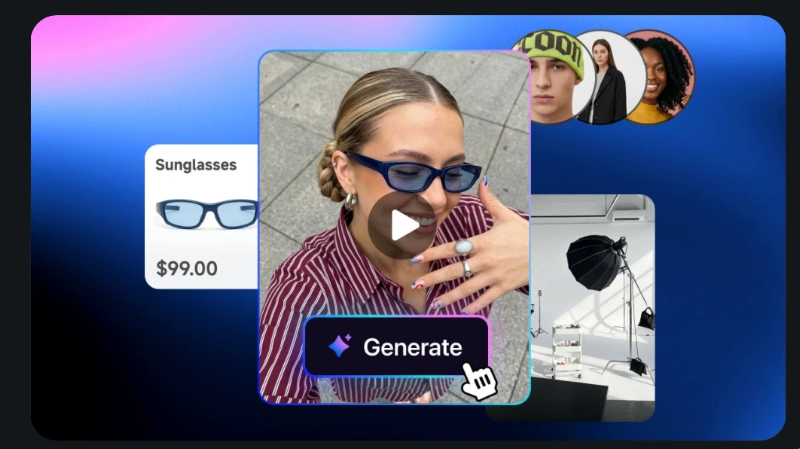
AI avatar video tools go a step further. They create shoppable, UGC style videos for platforms like TikTok Shop without booking a creator or filming a new shoot.
A Weekly Workflow Small Teams Can Actually Follow
You do not need a new process for every video. Just follow one simple workflow each week repeatedly and that is enough.
- Batch film your clips: Set aside one session to film several short videos at once, instead of filming daily.
- Enhance the footage: Run each clip through an enhancement tool to fix lighting, sharpness as well as resolution.
- Clean up the clips: Remove any watermarks, logos as well as unwanted elements left from borrowed or reused footage.
- Add captions: You should also include captions in your videos automatically so that videos can be seen with or without sound.
- Schedule and post: Don’t post everything at once, instead make a plan to post that stuff across the week.
This workflow basically turns video from something you deal with every day into more of a weekly routine. You end up spending less time editing and more time on the ideas that actually move the needle.
Vmake: One Workspace for the Whole Workflow
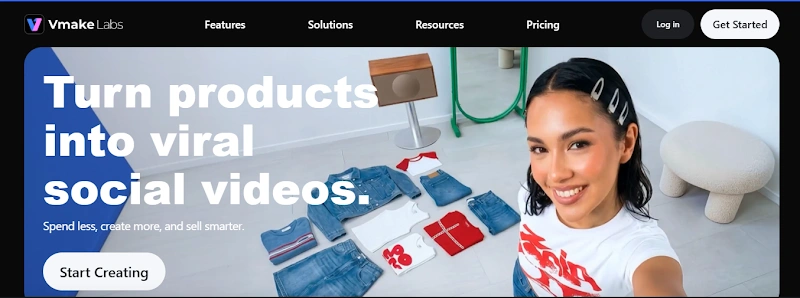
Vmake brings this entire workflow into one place. It is an AI social video studio that is built for small businesses, creators as well as ecommerce sellers.
Instead of switching between separate apps, you get enhancement, watermark removal, upscaling, captions and also AI avatar videos in one workspace. Each tool is built to serve one outcome: better performing social and UGC videos.
Real users report cutting post editing time in half and fixing lighting issues without reshoots. Others use it to turn existing product images into consistent UGC videos in minutes.
If you already film content but struggle to make it publish ready, testing Vmake’s workspace is worth your time.
Conclusion
Budget was never the real barrier to good social video. Time and skill were. AI tools now handle the technical work that used to need a professional editor. This lets small teams post at the same pace as bigger brands without a bigger budget.
You do not need an agency retainer to compete on social video anymore. You just need the right tool that can do the heavy tasks for your business.
Ready to see it in action? Try Vmake’s workspace and turn your next clip into publish ready content in minutes.