 Follow Us on Google News


 Follow Us on Google Discover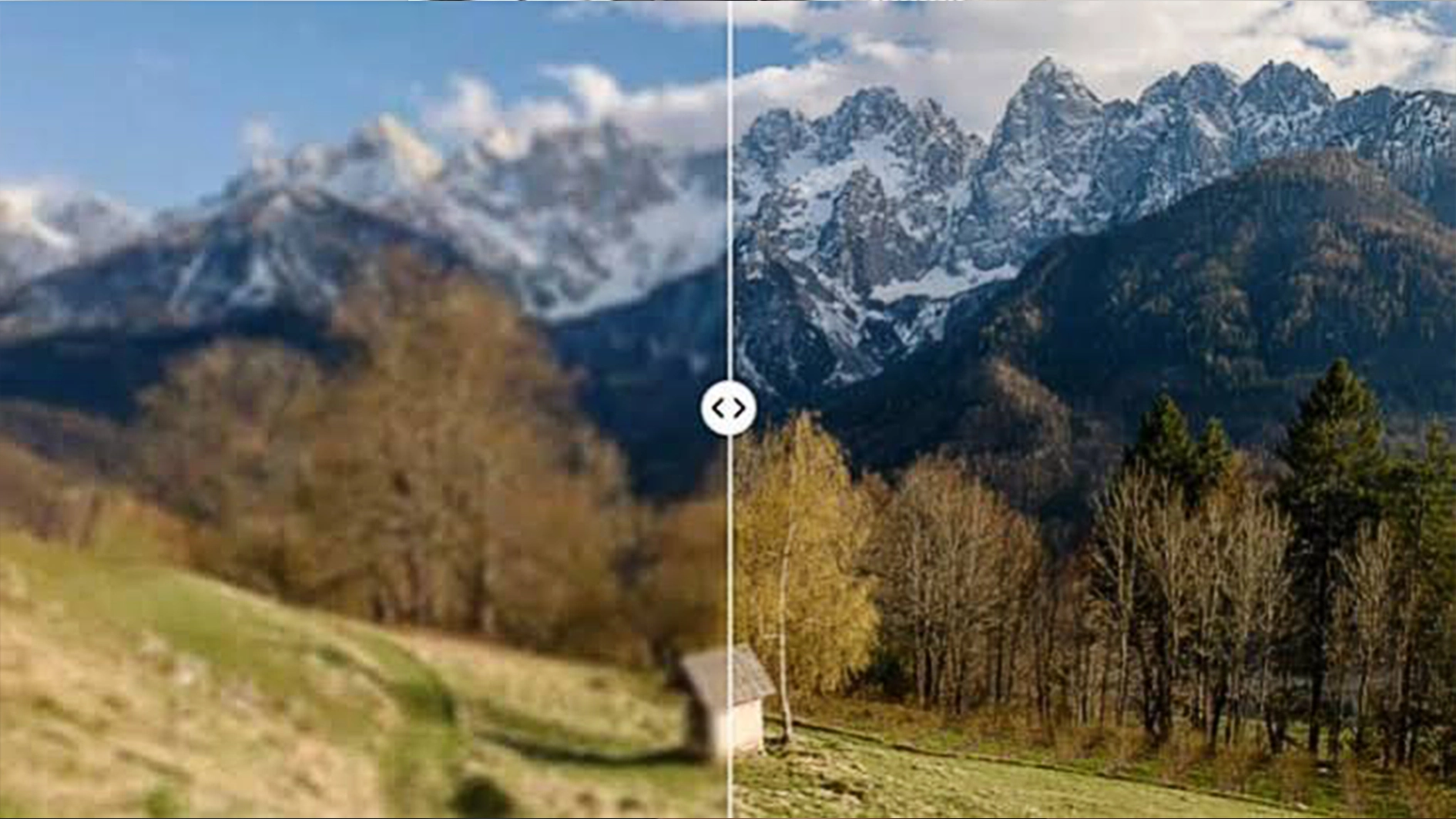
Strong visual content has become part of everyday business communication. Product listings, websites, social media posts, digital ads, menus, and promotional campaigns all depend on images that present a business clearly and professionally. For smaller companies, however, producing new photography for every campaign or hiring a designer for routine edits may not always be practical.
This is where platforms such as Airbrush can make everyday visual production more manageable. Its Image Enhancer helps businesses improve the appearance of existing photos, while additional tools for background editing, video watermark remover, object removal, image upscaling, and other common tasks provide more ways to prepare images for different channels. Instead of rebuilding every visual from scratch, businesses can get more value from the images they already have.
Why Image Quality Matters for Small Businesses
Customers often encounter a business through an image before they read a product description or visit a physical location. A restaurant may be discovered through a food photo, an online seller through a product listing, and a local service provider through images on its website or social media profiles.
Poor-quality visuals can make otherwise good products difficult to present effectively. Images may appear soft, poorly lit, compressed, cluttered, or inconsistent when they come from different sources.
Small businesses therefore need a practical way to maintain visual standards without turning every image into a large production project. The objective is not necessarily to create studio photography from ordinary photos, but to make existing images more suitable for professional digital use.
Improve Existing Photos With Airbrush Image Enhancer
Taking a new photo is not always the best answer when an existing image has quality issues. A business may already have hundreds of product photos, older marketing materials, customer-submitted images, or smartphone photos that contain the right content but need visual improvement.

The Airbrush Image Enhancer “улучшить качество фото” is designed for this type of workflow. It can help improve overall image quality, make existing details easier to see, and refine photos that appear soft or lack sufficient sharpness for their intended use.
For an online seller, that might mean improving a product image before adding it to a store. A restaurant could refine food photography for a digital menu, while a small hotel or property business might improve existing interior images before using them in online promotions.
The advantage is the ability to work with existing assets. Businesses can review what they already have and improve suitable images rather than automatically arranging another photoshoot.
Create Cleaner Product Images With Background Tools
The subject of a photo may look good while the background does not.
Small businesses frequently take product photos in offices, shops, homes, kitchens, or other everyday environments. These settings can introduce objects, colors, or visual clutter that distract attention from the actual product.
Airbrush Background Remover can help separate the main subject from its existing background. Once the background has been removed, the image can be prepared for a cleaner product listing or adapted to another design.
A transparent background can also make an image more reusable. The same product cutout might appear on a website, promotional banner, marketplace listing, presentation, or social media graphic without requiring a new photograph for each application.
For businesses that want a different setting rather than no background, background-changing tools provide another option. This gives teams more flexibility when adapting the same visual assets to different campaigns.
Remove Unwanted Distractions Without Reshooting
Sometimes the background is fine, but one distracting element affects the entire photograph.
It could be an unwanted object beside a product, clutter on a table, an item accidentally left in the frame, or another visual element that draws attention away from the subject.
The Airbrush Object Remover provides a way to clean up these types of images without automatically discarding the original photo. This can be particularly useful when the unwanted element occupies only a small part of an otherwise usable image.
This does not mean every photograph can or should be heavily edited. For important commercial photography, businesses should still ensure that edits accurately represent the product or service being offered. But for routine visual cleanup, removing irrelevant distractions can make an existing asset much easier to reuse.
Prepare Images for Websites, E-Commerce and Social Media
One challenge with digital content is that the same image rarely needs to stay in the same format.
A product photo might first appear on an e-commerce page and later be used in a social media campaign, email, blog post, digital advertisement, or presentation. Each use may have different requirements for dimensions, backgrounds, composition, and image quality.
Airbrush provides several tools that can support different stages of this process. An Image Upscaler, for example, can be useful when an existing image needs to be prepared at a larger size. Background tools can help create different versions of the same product photo, while image enhancement can be applied when the source image needs visual refinement.
Image extension can also be useful when the original composition does not fit a new format. Rather than forcing the same crop into every layout, businesses can prepare alternative versions for different publishing environments.
The benefit of having these capabilities within the broader Airbrush editing platform is that a business can address several common image problems without building a separate workflow for each one.
Build a Repeatable Airbrush Editing Workflow
The biggest efficiency gain often comes from creating a consistent process rather than editing every photo differently.
For example, a small online retailer could use a workflow such as:
The exact steps will vary depending on the image. A high-quality photograph may not need enhancement, while a clean studio image may not require background removal. The point is to apply only the edits that improve the asset.
Using Airbrush across these stages can also help small teams establish a repeatable process. Instead of deciding from scratch how to handle every image, they can identify common problems and use the appropriate tool for each one.
This becomes increasingly useful as the amount of content grows. A business publishing several times a week needs a different workflow from one producing a major campaign once a year.
AI Editing Does Not Eliminate the Need for Professional Photography
Accessible editing tools do not mean professional photographers and designers are no longer valuable.
A major advertising campaign, detailed product shoot, luxury brand project, or complex creative concept may still require professional lighting, equipment, art direction, photography, and retouching. Editing software cannot recreate every piece of visual information that was never captured in the original image.
Where platforms such as Airbrush can provide significant value is in everyday content production.
Not every Instagram post needs a studio shoot. Not every product image needs to be sent to a professional retoucher. Small businesses often need to make routine improvements quickly so that existing visual assets are suitable for websites, listings, social channels, and other marketing materials.
Recognizing the difference between those everyday needs and high-end creative projects helps businesses use both approaches effectively.
Making Better Visual Content More Accessible
Small businesses are producing more visual content than ever, but their budgets and creative resources have not necessarily increased at the same rate. The ability to improve and repurpose existing images can therefore be just as valuable as creating new ones.
Airbrush brings together practical capabilities such as image enhancement, object removal, background editing, upscaling, and other image-editing tools within one platform. For small businesses, this creates a more flexible way to handle common visual tasks without requiring a professional studio for every piece of content.
The goal is not to make every photo look artificially perfect. It is to help businesses present their products, services, and ideas more effectively using the visual assets available to them. With a consistent workflow and the right tools, everyday photos can become more useful across websites, e-commerce stores, social media, advertising, and other digital channels.