 Follow Us on Google News
 Follow Us on Google Discover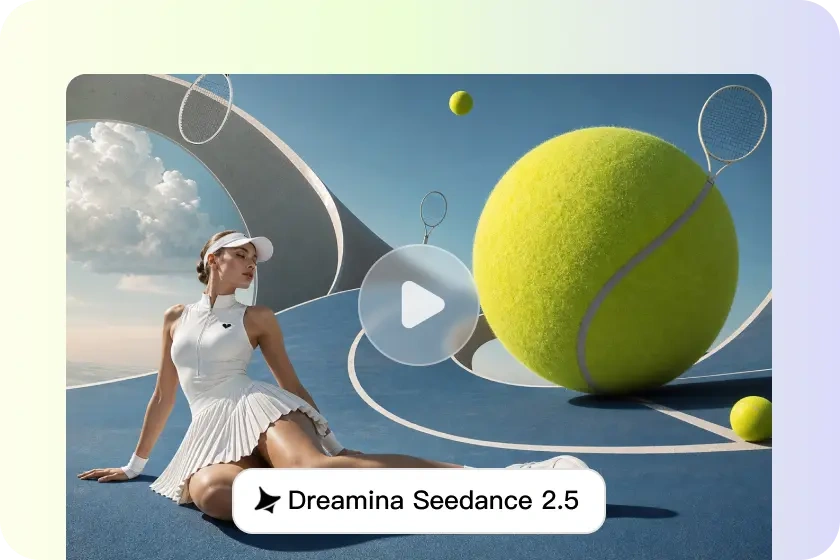
AI-generated videos are polished and engaging due to the strong composition. Balanced framing helps direct the viewer’s gaze and aids in visual storytelling. When subjects are placed correctly, it also gives a natural viewing experience in each scene. Pippit enhances composition by multi-modal reference inputs, which shape framing, subject positioning, visual balance and stylistic consistency. With reference-guided generation, you can create videos with a more professional visual structure from start to finish and have more creative control.
Understanding AI Video Composition and Reference Inputs
Composition involves the arrangement of the visual elements in each shot. It’s about the positioning of subjects, spacing, the camera viewpoint and scene balance. Good composition ensures that viewers are able to see what is important without distraction. Pippit has visual guidance prior to generation through reference inputs. Preferred layouts, styles and moods are illustrated through images, video and other visual resources. These references will aid in consistent framing and minimise unexpected scene changes. Better composition also enhances storytelling as viewers tend to look at the main activities, characters, products, or environments in the scenes that are connected.
How Reference Inputs Improve Video Composition
Pippit utilises reference materials to provide a more visual context prior to creating each scene. Subject positioning is more consistent – characters/products appear naturally throughout the different shots. Additionally, the visual balance is enhanced as significant elements remain proportional within each frame. The same camera angles provide for smoother transitions between scenes and increased continuity. References are also used to ensure a consistent style, lighting, colour palette, and tone throughout the sequence. Natural scene organisation eliminates clutter and helps to focus on the important content. In Seedance 2.5, multi-modal references are further amplified by realistic motion, detailed scene understanding, and consistent visual structure through longer video generations.
Best Practices for Using Reference Inputs

Following consistent creative practices improves generation quality and visual consistency.
- Choose one creative direction and maintain one clear visual style.
- Submit high-quality references with clear details and lighting.
- Choose photos that focus on framing rather than extraneous background.
- Keep the same camera angles in all of the reference materials.
- Use visual cues together with descriptive prompts to provide more creative support.
- Thoroughly examine and adjust layouts as necessary.
These practices improve scene interpretation while reducing inconsistent framing and conflicting visual decisions.
Steps to Improve AI Video Composition with Seedance 2.5 Reference Inputs
Step 1: Prepare Your Composition Prompt
- Sign up for Pippit to access the home page.
- Click “Video” on the main dashboard or access “Video generator” in the left menu.
- Enter a text prompt and clearly describe the desired composition, video style, tone, and camera angles.
Step 2: Generate a Well-Composed Video
- Click “+” and upload your image, video, file, or link that you want to use for the video.
- You can also click “Upload a reference video” and choose “Upload” to import a sample clip, allowing the AI to follow its composition and style.
- Choose “Dreamina Seedance 2.5” model from the list.
- Choose the video length, language, and aspect ratio.
- Click “Generate,” and Pippit creates a video that follows your prompt and reference inputs.
Step 3: Polish the Composition & Export
- Select your video and press the Play button to examine the overall composition.
- To make refinements, click “Edit more” and use the tools to crop, stabilise, adjust colours, or change the background.
- Or, click “Download” to save your AI-generated video to your device, or “Publish” to share it directly on your social media.
Writing Prompts That Complement Reference Inputs
Clear prompts enhance reference-guided composition by giving important visual priorities. Use precise positioning for subject placement in each frame rather than vague positioning. Use camera terms, such as close-up, medium shot or wide shot, to define distance. Describe the importance of the scene’s hierarchy, starting with the main subject and then the other elements. Add timestamp instructions when there is a composition change in longer sequences. For instance, start with a product shot that is centred and then move to a broader environmental perspective. Keep a steady visual priority in each prompt, meaning that the framing, balance and storytelling are consistent from the start of the scene to the end of the sequence.
Combining Reference Inputs with Advanced Video Features
The Reference guidance is even more powerful when used together with other creative features within Pippit. Timestamp prompt control: timestamps significant visual moments within each scene. Connected sequences of up to 30 seconds of video are possible without any interruption of the visual flow. Realistic material rendering for lighting, textures, reflections, and object appearance for greater authenticity. Director-level camera movement is necessary for natural cinematic motion and for keeping the composition stable in dynamic scenes. The background replacement is possible after generation with green screen editing. These features bolster composition and allow for more creative freedom when marketing, showcasing products, educating audiences, and producing short visual stories.
Composition Errors That Reduce AI Video Quality
Some common problems will diminish the composition and the quality of the overall image. Overcrowded frames are distracting for viewers because too many competing elements are in a limited space. If the subject is not placed in the same position consistently, then there will be some unnecessary movement, which will break the visual continuity between scenes. Mixed styles, mismatched layouts and confusing artistic direction come from conflicting reference materials. Poor camera direction can result in random shots, which can hinder the storytelling. If the prompt isn’t detailed enough, important framing decisions are left up to the imagination, which leads to more out-of-control generations. These problems can be greatly minimised, and better results are obtained in the form of cleaner, well-balanced and interesting videos through careful planning, focused references, descriptive prompts and thoughtful review.
Conclusion
The use of multi-modal reference inputs offers enhanced creative input to ensure balanced framing, consistent subject placement and visual storytelling. The descriptive prompts and high-quality references enhance composition in all generated scenes. Pippit also enhances professional production with its accurate prompt control, realistic rendering, seamless scene creation, flexible editing, and easy export features. These built-in features empower creators to generate refined AI-generated video content with a consistent visual appeal and compelling narratives, all within efficient production processes.