 Follow Us on Google News


 Follow Us on Google Discover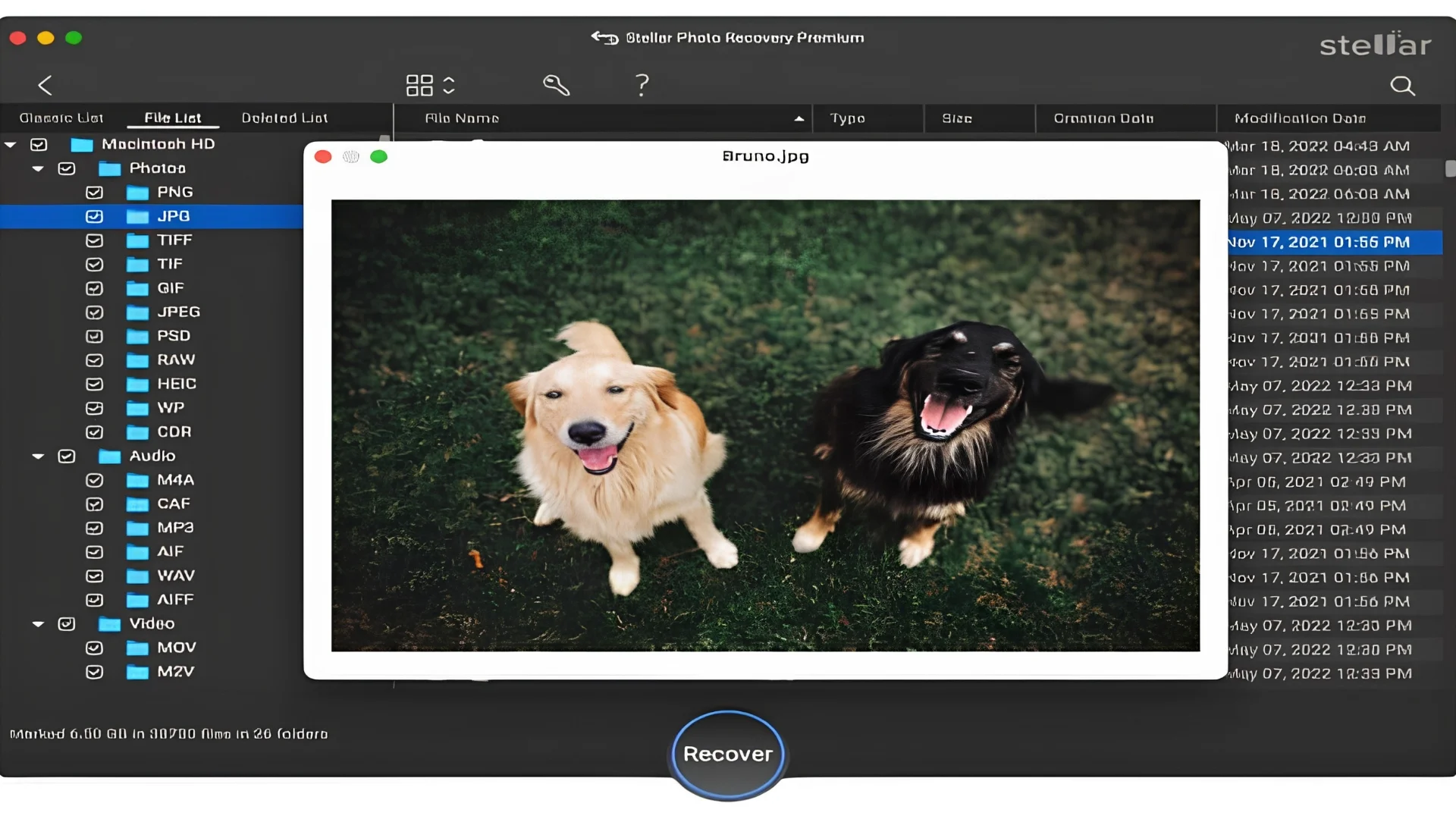
A camera SD card never warns you before it fails. It ideally sits in your camera, holds a full weekend of memories, and then one evening the SD card folder seems to be empty.
But even when an SD card fails, your photos are usually still there. When files are deleted or a card is formatted, the card only forgets where it kept them, and the pictures stay until overwritten with new files. That is why the first few minutes matter.
A good software does make a huge difference with recovery. To see how much, I ran five popular SD card tools on the same card, a 32GB SanDisk holding 120 photos (JPEG and RAW) and 15 videos. I deleted everything, then quick formatted it. Each tool got the same laptop and card reader, and here’s how they ranked.
This blog was not built in one afternoon, it took weeks of clicking and a full day of testing. The first tool I tried was:
1. Stellar Photo Recovery
What I tested and found: I picked the SD card as the source, chose Deep Scan, and let it run. About 9 minutes later, it listed 118 of my 120 photos and all 15 videos, RAW files from my Nikon included. All the recovered images and videos showed up in the preview, so I could spot broken files before saving. I guess the 2 misses were old shots that newer photos had already overwritten. Reviewers also praise this tool and one of the most reputable camera magazine Digital Camera World ranks it best recovery software in 2026 for its recovery workflow while praising how easy it is.
A fair question comes up here. Stellar works with every external drive, so why call it the best for SD cards? The answer is because it reads almost any camera card SD, SDHC, SDXC, CFast, XQD, xD cards, etc., handles 30+ RAW formats, lets you pause and resume a long scan, and can make a disk image of a shaky card, so you scan the copy and recover your files without any harm to a fragile SD card. Stellar Photo Recovery also comes at a reasonable price of $49.99/- a year.

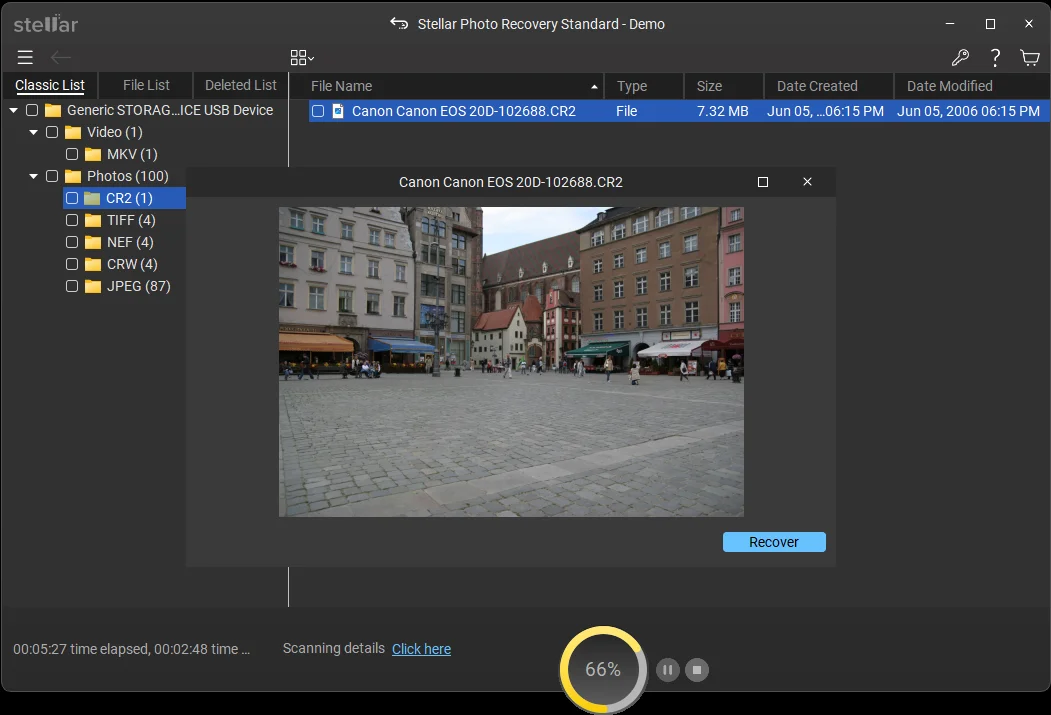
New in 2026: Updated for Windows 11 and macOS Golden Gate. Now offers free file recovery and support for BitLocker drives.
Pros
- Deep Scan finds files even after a quick format.
- Wide RAW support and a clear preview before saving.
- Modern feel UI that’s easy to use and highly intuitive
Cons
- Recover 10 files free of cost, up to 100 MB each, which a few videos can use up fast.
- Some video file names may not come back.
Verdict: Stellar Photo Recovery is the most complete pick for camera SD cards, and the free SD card data recovery is a welcome bonus.
2. Recuva
What I tested and found: Some may find Recuva as too boring, or too basic. But what I found was a simple wizard that offered easy-to-follow steps, but you need to be very careful with every step because if you miss or skip any, there’s no going back. For me, the deep scan option found 86 photos. Sadly, some would not open, and my RAW files were mostly missing. One annoying thing is it lists a lot of unnecessary thumbnails/logos/other cache files. Plenty of SnapFiles users praise it, and one says it pulled back 254/350 deleted pictures. That fits my result. Plain JPEGs are fine, but anything fancier is a struggle.
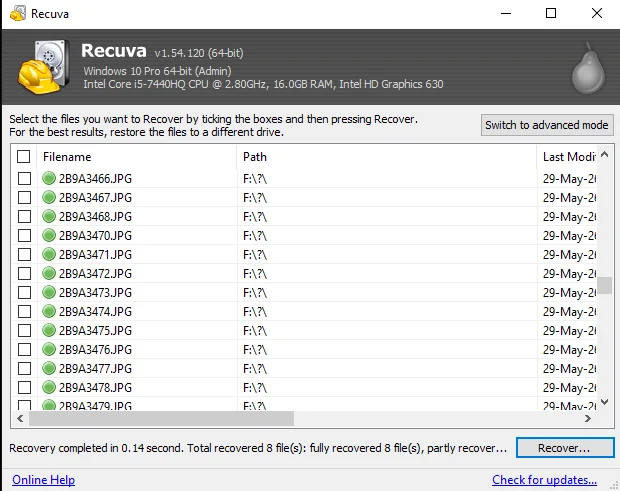
New in 2026: I found no notable changes. The look is still dated, and it runs on Windows only.
Pros
- Free, with no cap on recovery.
- A simple wizard that beginners can follow.
Cons
- Weak with RAW and video files.
- Windows only, and some recovered files will not open.
Verdict: Good for a JPEG rescue, but too basic for serious photo work.
3. 4DDiG SD Card Recovery
What I tested and found: The 4DDiG page promotes SD card recovery, yet the app I opened looked the same as its general Windows Data Recovery tool, so the card label seemed more like marketing. The scan felt lazy which was a real lag, although filters made it easy to narrow results to photos and SD Card.
Preview didn’t work well, as all of the pics showed “Preview is not available”, guess that’s a limitation of the trial version. Then I hit the Recover button and met a license prompt. It listed around 104 photos, and 10 videos, I wasn’t able to check if they played. The price is highly competitive at $45.95 annually, provided it recovers files that aren’t corrupt.
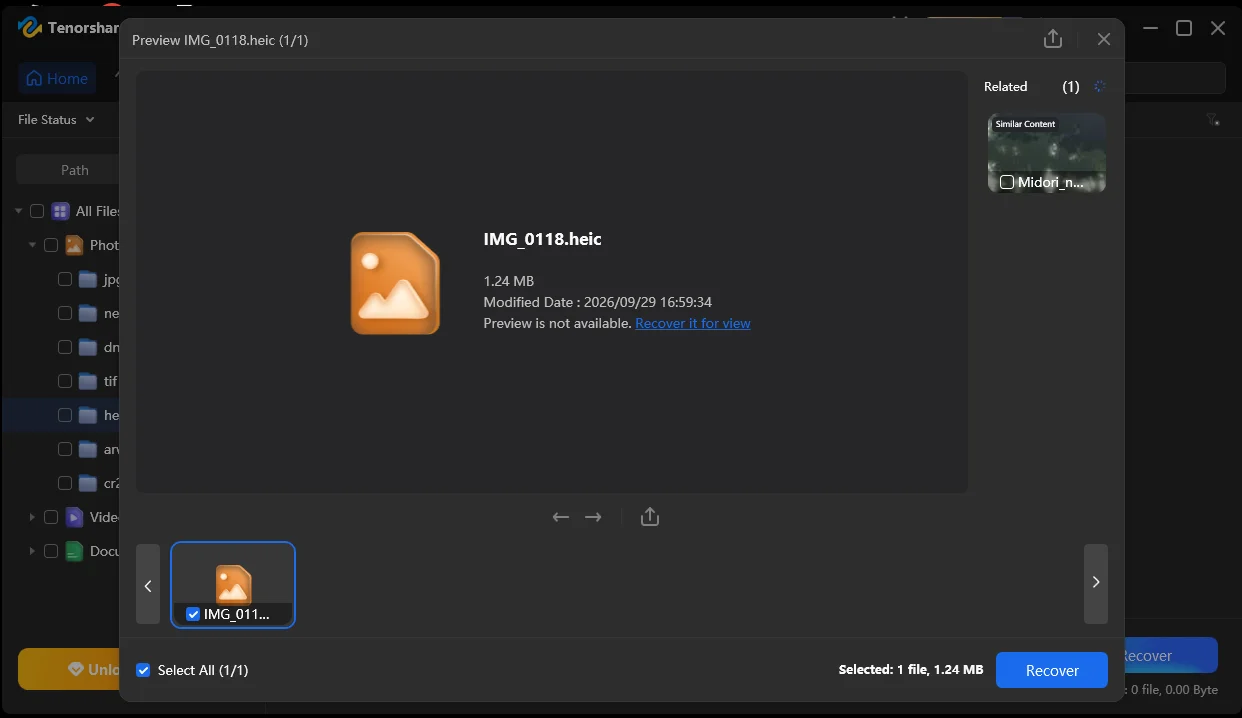
New in 2026: Camera recovery and file repair tools sit in its toolbox menu.
Pros
- Intuitive DIY tool with helpful filters.
- Offers a deep scan feature
Cons
- The free version only scans, so nothing can be saved.
- A general app with no card-specific tools.
- Super slow scan speed
Verdict: Easy and decent, but you are paying for a general tool, not a card specialist.
4. PhotoRec
What I tested and found: Next came PhotoRec, which is free, command line data recovery tool. There is no window with buttons. I got a black screen full of text prompts, and picking the right disk took me about twenty minutes. The scan recovered many photos and videos, but there was no way to keep a count, so it works but for me it was a bit of messy. The trouble started after that. Files were renamed to random numbers, there was no preview, and finding one dog photo meant scrolling through hundreds of them one by one.
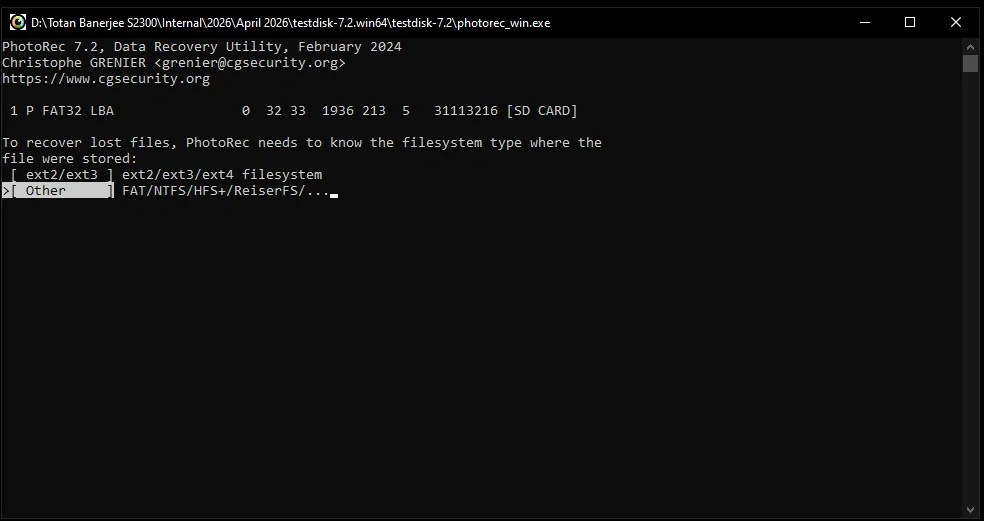
New in 2026: No updates. It still looks like a tool from the 1980s.
Pros
- Unlimited free file recovery
- Windows and Mac-based
Cons
- The command line is difficult, almost impossible for most people.
- No preview, and all original files lose their names.
Verdict: A great engine, but only for people who enjoy typing commands.
5. UFS Explorer
What I tested and found: UFS Explorer is built for repair shops. It reads a huge list of file systems and can handle RAID setups, which is wonderful if you are a technician. For one person with one SD card, it felt like driving a truck to the corner store. The screens were busy, and with no tick boxes beside found files, picking photos felt awkward. The free trial only restores files under 256 KB, so a real photo could not be saved until I paid, and the Standard edition costs about $65.
New in 2026: Recovery chance prediction shows which files are likely to open.
Pros
- Supports almost every file system.
- A strong choice for RAID and tough cases.
Cons
- A complex layout with no tick boxes.
- The trial cannot save normal photos or videos.
Verdict: Powerful, but far more tool than most people need for an SD card.
Comparison at a Glance
| Tool | Best For | Platform | Ease of Use |
| Stellar Photo Recovery | Camera cards, RAW photos and videos | Windows, Mac | Very Easy |
| Recuva | Quick JPEG rescue | Windows | Basic |
| 4DDiG | General file recovery | Windows, Mac | Easy |
| PhotoRec | Tech-savvy users | Windows, Mac, Linux | Very Difficult |
| UFS Explorer | Technicians and RAID cases | Windows, Mac, Linux | Highly Complex |
End Notes
After all that testing we found that SD card recovery is possible even after data is deleted or quick formatted. Recuva is friendly yet limited; PhotoRec works, but it’s too complex and technical. 4DDiG is good but needs improvement, and UFS Explorer targets pro users who need more than just recovery. Stellar Photo Recovery is the one tool which I felt was built for the job, with Deep Scan, RAW support, preview and card-friendly extras in one place. And since the free edition lets you recover 10 files first, you can preview and recover the real files before spending a dollar.
Whichever tool you try, stop using the card right away and save recovered files to a different drive. That one habit protects your photos better than any app.